


Photo Editor Video Maker Music
4.4434.00 Reviews
App Specs
- Version
- 2.0.5
- Updated On
- License
- Free
- Downloads
- 10,000,000+
- Developer
- Supercool Labs
- Categories
- Video Players & Editors
- Platform
- Android
Screenshots
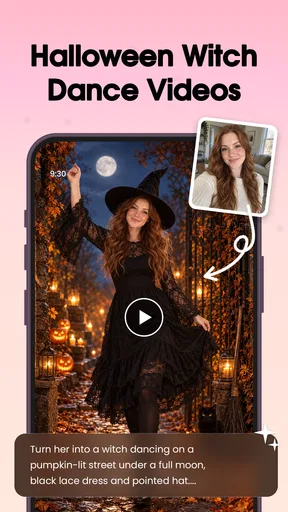
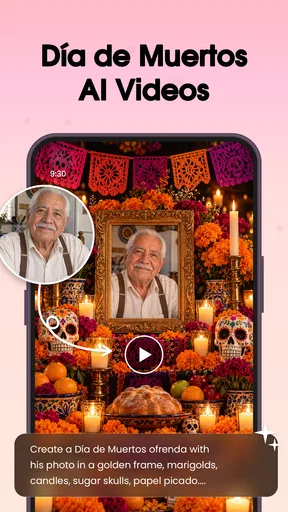
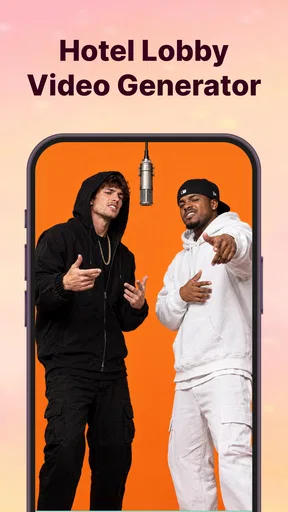
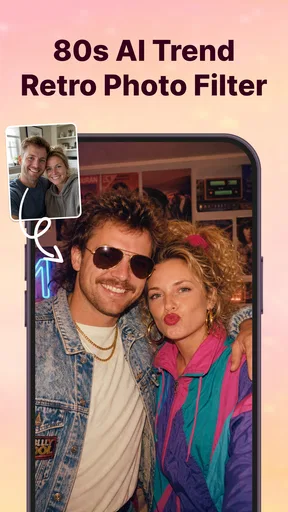
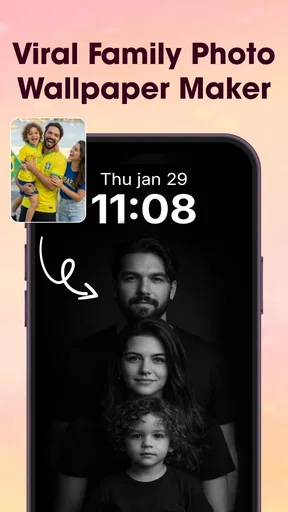
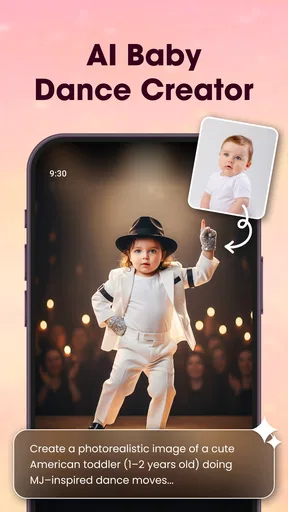
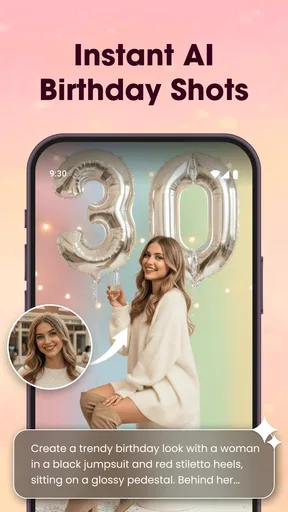
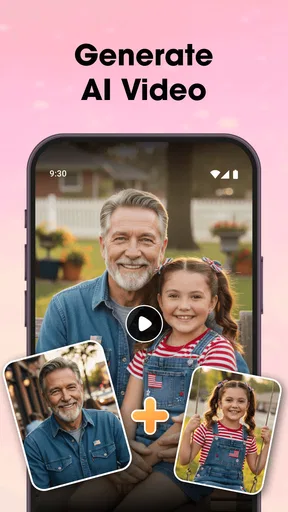
 Analysis by AppCompare
Choosing an editing app is as much about how smoothly it fits into an ordinary day as it is about the effects it offers. Photo Editor Video Maker Music brings photo editing and short video creation together, which makes it appealing when I want to turn a handful of camera-roll moments into something shareable without switching between several tools. Its broad creative pitch is inviting, though a single app that covers many jobs also asks you to be thoughtful about the workflow and the finished result.
What to expect when you open it
The app is a free photo and video editor from beauty app inc, and its Everyone age rating makes it approachable for a wide range of users. Its current version is 1.2.5, and it runs on Android 7.0 or later. Those details make it accessible to many Android users, but they do not guarantee the same editing feel on every device: a newer phone may handle a busy project more comfortably than an older one.
I would approach the editing experience with realistic expectations. A quick filter or a simple collage is a lighter job than assembling several video clips, adding transitions, and choosing music. If a project feels less responsive as it grows, I’d simplify it before assuming the app is unusable: trim unnecessary footage, make a smaller first draft, and add finishing touches only after the sequence feels right. That keeps the creative process manageable and makes it easier to spot which choice is slowing you down.
Making a small project feel polished
For an everyday example, imagine you have a few clips from a family gathering and want to share a short recap. I’d first decide on the moment the video should capture, then pick only the clips that support that idea. Trimming before adding transitions or music saves time and helps the finished piece feel intentional rather than like a camera roll stitched together. A calm track may suit a quiet collection of moments, while a livelier choice can give quick cuts more energy.
Text and stickers work best when they add context rather than compete with the images. I’d use a short caption to identify the occasion or add a personal joke, then check that it remains easy to read over the footage. The same restraint helps with filters: applying one consistent look can make separate clips feel connected, while piling on effects may distract from the people and moments you wanted to share.
Where it fits among editing apps
Compared with using a dedicated photo editor for still images and a separate video editor for clips, this all-in-one approach can reduce app switching. That is useful for casual projects where convenience matters more than fine control. The trade-off is that people who need a highly precise timeline, advanced color adjustments, or a carefully managed audio mix may be better served by specialist tools built around those jobs.
The app has an average rating of 3.9 from around 36,000 ratings, and it has been installed over 10 million times. That gives a sense of its reach, but popularity alone cannot tell you whether its particular editing style will suit your habits. I’d treat it as a practical option to try for lightweight creations, rather than assume it will replace every editor you already use.
Worth Reading Before You Choose

Baby Panda World Brings Quick Play to Modern Phones, but Its Game Library Feels Busy

ESPN’s Live Game View Makes Following Close Games Easier

QuizzLand Review: A Good Fit for Short Trivia Breaks, Not Every Player

Basketball Stars: Multiplayer Is Fast, but Can It Recover When Matches Go Wrong?

WEBTOON Turns Phone Updates Into a Better Reading Routine

Link to Windows Runs on Shared Habits, Not Social Feeds
Unleash Your Inner Artist
First things first, this app is a powerhouse when it comes to editing. Whether you’re a newbie or a seasoned pro, the tools on offer are pretty impressive. You can start by choosing from a range of filters that can transform even the dullest photo into something Instagram-worthy. And the best part? The interface is super intuitive, so you’re not left scratching your head thinking, “What does this button do?”
When it comes to video, Photo Editor Video Maker Music doesn’t skimp on features either. You can add transitions, trim clips, and even mix in your favorite tracks. Trust me, combining your clips with the right music can make all the difference. It’s like giving your video a heartbeat.
Music to Your Ears
Speaking of music, the app offers a library of tunes that you can use to set the mood. Whether you’re going for something upbeat or a more mellow vibe, there’s something for everyone. You can also import your own tracks if you’re feeling a bit more particular. This flexibility is a game-changer, especially if you’re looking to make something truly personal.
For a more considered result, I’d choose the music after arranging the clips rather than at the start. That makes it easier to match the pacing of the edit to the mood of the track. If you bring in your own song, listen through the finished video before sharing; a track that feels right on its own can still overpower the visuals or end abruptly when the video stops. The music feature adds creative freedom, but it does not remove the need to check how the whole piece sounds and feels together.
Features That Stand Out
Beyond the basics, there are some nifty features that I found particularly cool. For instance, you can create collages with just a few taps, and the app’s AI suggestions help you craft layouts that look professionally done. There’s also a neat feature where you can overlay text on your photos and videos. Perfect for those who love to add a bit of flair or a funny caption.
One useful way to approach the collage tool is to decide what the images have in common before choosing a layout: a shared color palette, a sequence from one outing, or a set of portraits. That simple selection step can make an automatically suggested arrangement feel more personal. I’d also check that the most important photo gets enough space; a neat layout is not automatically a readable one, especially if you plan to view it on a phone screen.
And let’s not forget about the stickers and effects. These little additions can make your creations pop, and the app keeps updating its library, so there’s always something fresh to try out.
Costs, comfort, and who should choose it
The app is free to download, with in-app purchases listed from $12.99 to $154.99 per item. I’d explore the basic editing flow first and consider a purchase only if a paid option clearly solves a need I have. Before committing, check the purchase details shown in the app and make sure the cost makes sense for how often you expect to use that particular option. Casual users who mainly want a quick collage or a short music-backed video may not need to spend anything.
Reliability is also about protecting the work you have already done. For any editor, I recommend finishing a project in manageable stages and checking the result before leaving the editing screen, especially after making a series of changes. Keep original photos and clips until you are happy with the exported creation. That gives you a simple fallback if you decide to change the crop, replace a song, or rebuild a sequence later, without depending on an editable project remaining available.
This is a better fit for people who enjoy quick creative choices and want photos, text, effects, and music close at hand. It is less suitable if your work depends on detailed professional controls, a strict publishing workflow, or predictable results across a large batch of files. In those cases, a specialist editor is likely to offer a more focused process, even if it means using separate apps for still images and video.
Final Thoughts
All in all, Photo Editor Video Maker Music is a solid choice for anyone looking to dive into the world of photo and video editing. It’s packed with features but doesn’t overwhelm you with complexity. Plus, the ability to blend photos, videos, and music seamlessly is what sets it apart.
If you’re on the hunt for an app that’s fun, creative, and easy to use, give this one a go. It’s like having a mini production studio at your fingertips, and it’s sure to elevate your content to the next level. So, go ahead and unleash your creativity!
I’d start with a low-stakes project, such as a collage or a brief recap, to see how the controls feel on your phone before investing time in a longer edit. If that simple test feels comfortable, the app can be a handy creative companion; if you find yourself wanting exact control over every cut and adjustment, choosing a dedicated editor is a sensible next step.
Pros
- Intuitive and user-friendly interface.
- Wide range of editing tools available.
- High-quality export options.
- Supports multiple video formats.
- Regular updates with new features.
Cons
- Contains frequent in-app ads.
- Some features require paid subscription.
- Large app size may affect storage.
- Occasional crashes during editing.
- Limited music track selection.
FAQs for Photo Editor Video Maker Music
What features does Photo Editor Video Maker Music offer?
Photo Editor Video Maker Music provides a comprehensive suite of tools for editing both photos and videos. Users can apply a variety of filters, add special effects, and incorporate music into their creations. The app also includes advanced editing options such as cropping, rotating, and adjusting brightness or contrast, ensuring a professional finish.
Is the app free to use, or are there in-app purchases?
The app is free to download and offers a range of basic editing features at no cost. However, it includes in-app purchases for premium features, such as advanced filters, additional music tracks, and ad-free usage. This allows users to enhance their editing experience according to their preferences.
Can I use my own music in my video projects?
Yes, Photo Editor Video Maker Music allows users to import their own music files to complement their video projects. This feature provides flexibility and personalization, enabling users to create videos that are uniquely theirs by adding soundtracks that match their vision and style.
Is Photo Editor Video Maker Music suitable for beginners?
Absolutely! The app is designed with an intuitive interface that is easy to navigate, making it accessible for beginners. It includes tutorials and tips to guide new users through the editing process. However, it also offers advanced features for more experienced editors who are looking to refine their skills.
Does the app support high-resolution exports?
Yes, the app supports exporting videos and photos in high resolution, ensuring that your creations maintain their quality. This is particularly useful for users who wish to share their work on social media platforms or use them for professional purposes, where quality is paramount.


